
Every Country.Every Day.Every Journey.
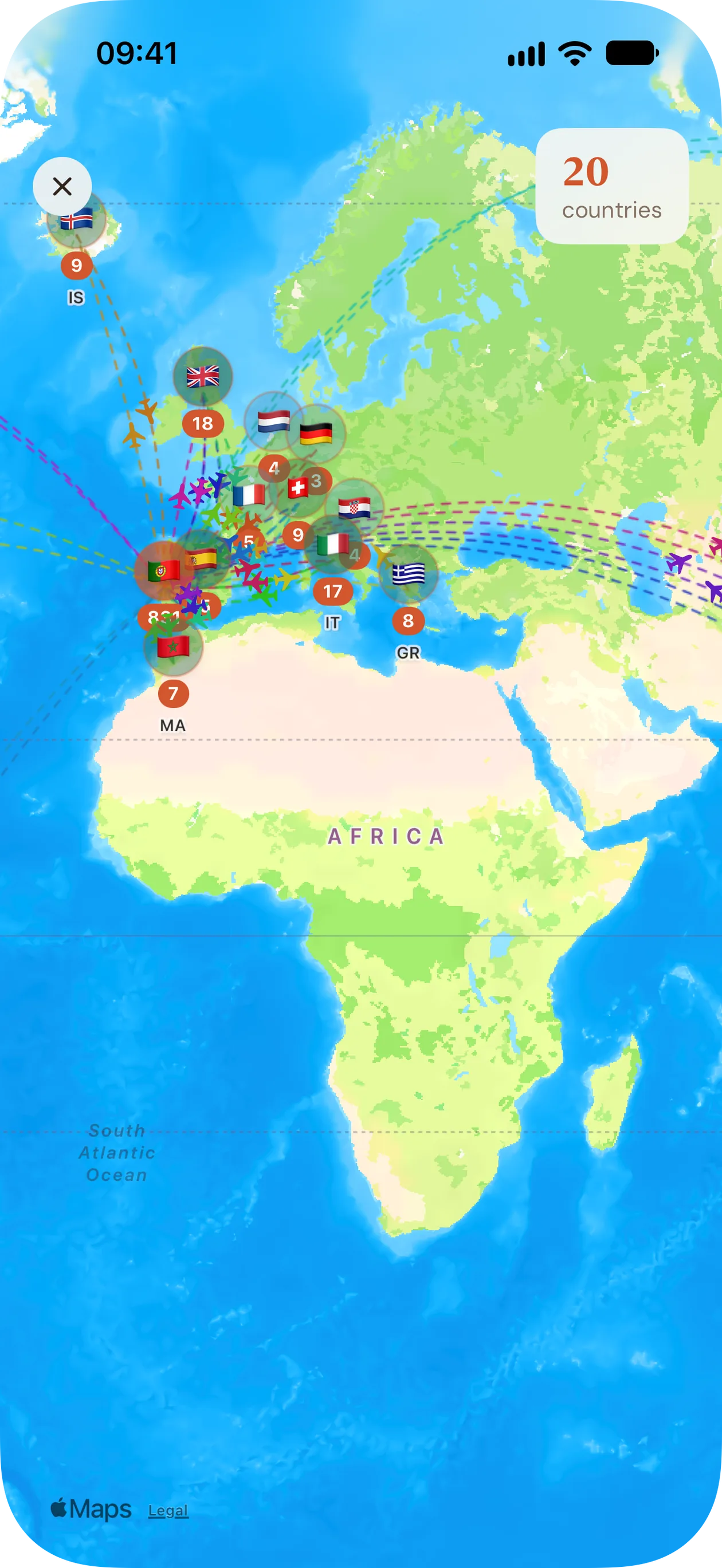
Turn your iPhone photos into a personal travel map. See countries visited, track days spent abroad, and monitor Schengen 90/180 stays — all privately on your device.
Free first scan · No account required · Private by design
- Photos never leave your phone
- No account, no sign-up
- Day by day, country by country
Your travels at a glance.
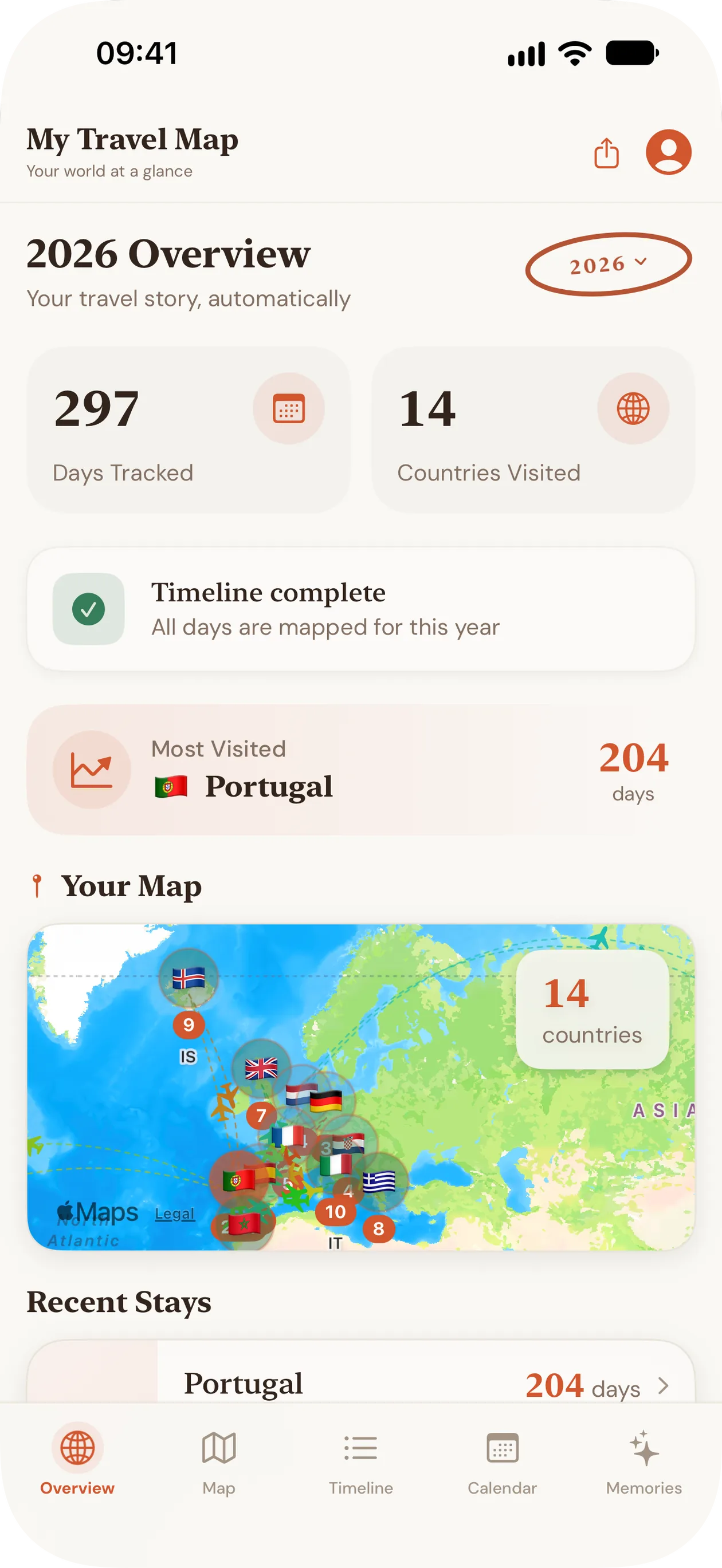
How many countries you've visited, how many days you spent in each, and where you spent most of the year.
Countries visited
Every country you've been to, counted for each year and pinned on one map.
Days in each country
Each day is assigned to the country your photos place you in, so every country gets its own day count.
Stays
Consecutive days in one country become a stay, with its dates and length.
Year by year
Switch years to see how many days you tracked and where you spent most of them.
Every trip you've taken, rebuilt from your photos.
You don't have to log anything. Your photos already carry the date and place they were taken; the app reads them on your iPhone or iPad and turns years of trips into countries and days in a few minutes.
- 1
Allow Photos access.
The app reads only each photo's date and location. Full or limited access both work.
- 2
Scan once.
Your library is sorted into days and countries on the device. The first scan is included for free.
- 3
Explore and tidy up.
Browse your map, timeline, calendar and memories, and set the country for any day the photos couldn't place.
More on making a travel map from photos →
Rather log trips as they happen? Compare four ways to keep a travel history →
Days without a location? Fill them in.
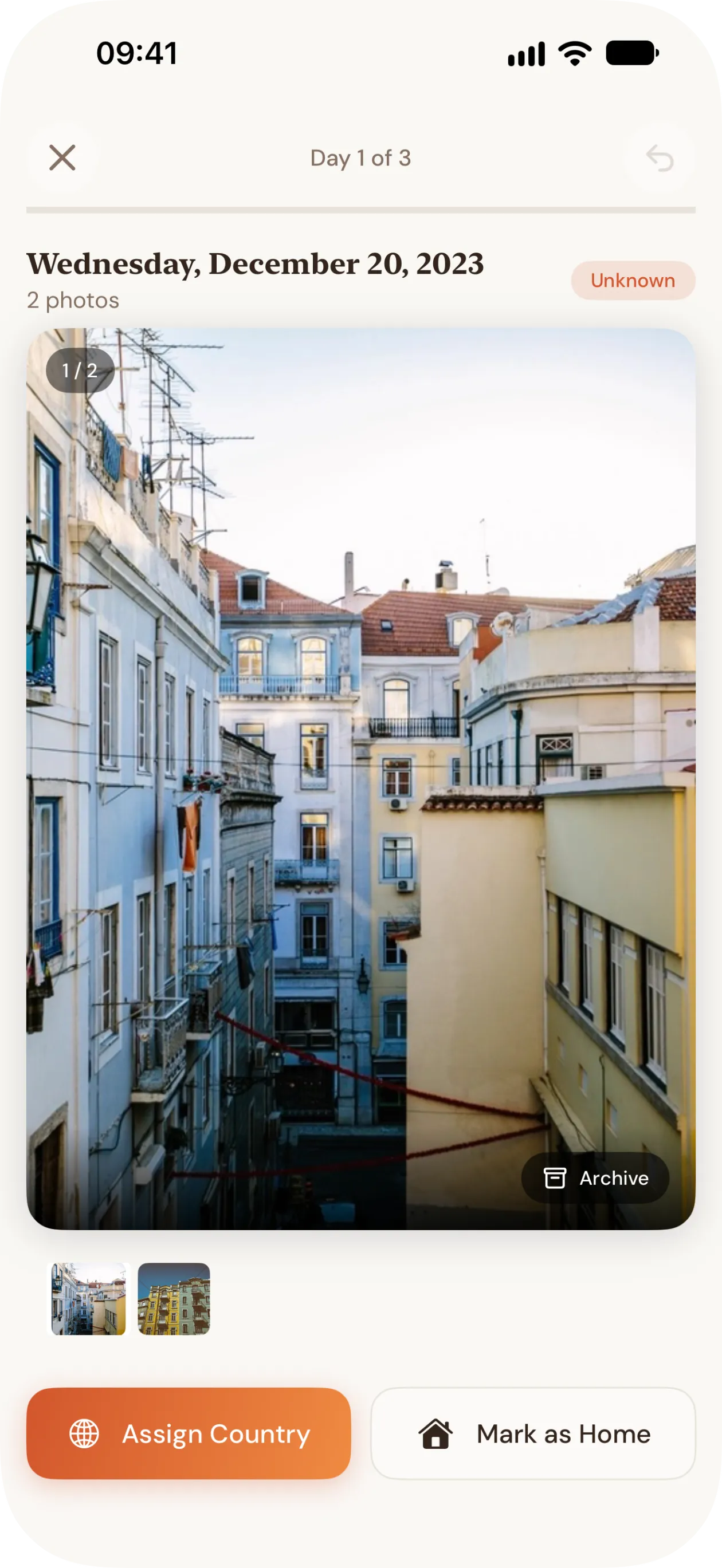
Some photos have no location, like screenshots or pictures sent to you. The app marks the days it couldn't place so you can fix them.
- 1
See what's missing
Days the photos couldn't place are flagged on the overview and reviewed one at a time, photos included.
- 2
Set the country
Tap Assign Country and pick where you were, or mark the day as home. A couple of taps.
- 3
Fill short gaps automatically
Optional: runs of up to 14 unknown days between two days in the same country are filled in. Days you set yourself are never overwritten.
Timeline, calendar and memories.
Timeline
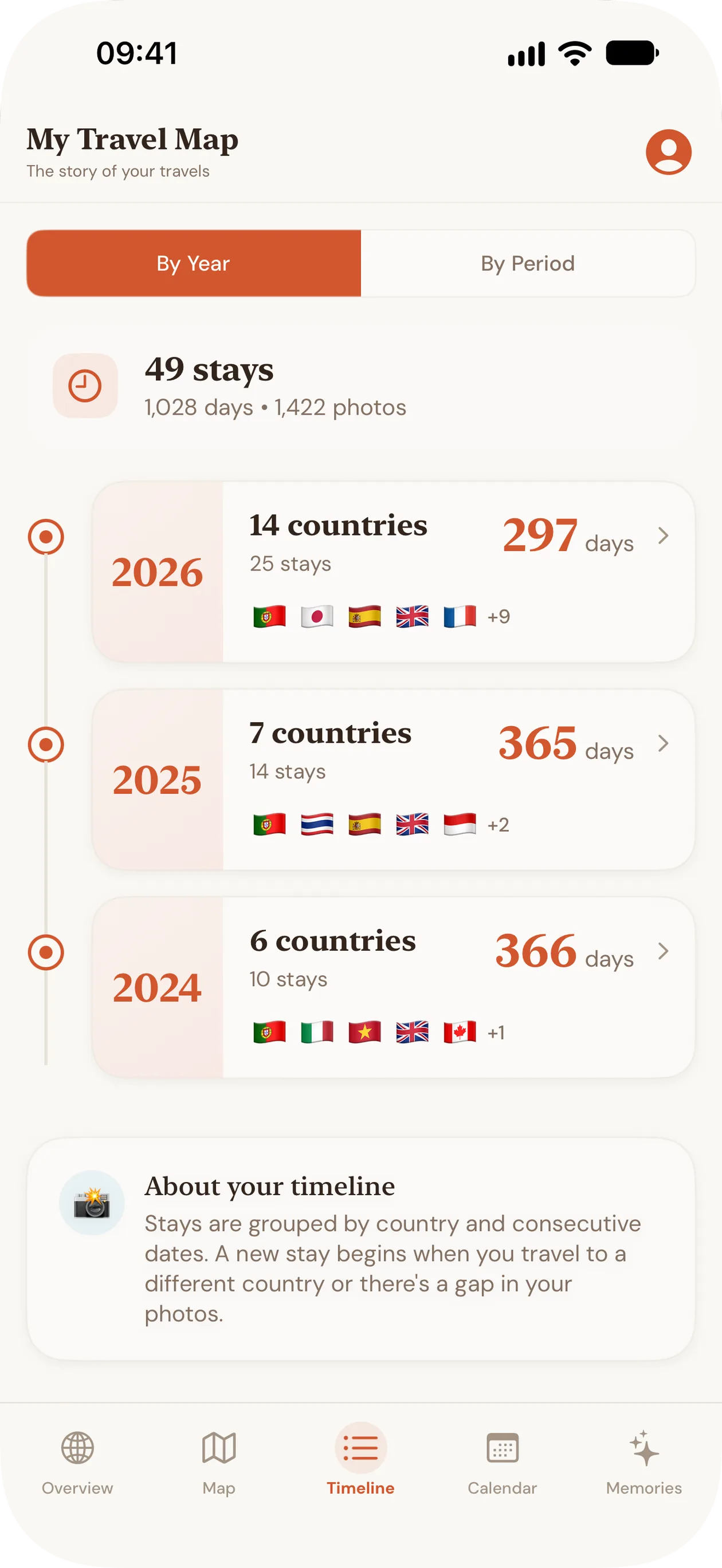
Each stay (consecutive days in one country) with its dates and length.
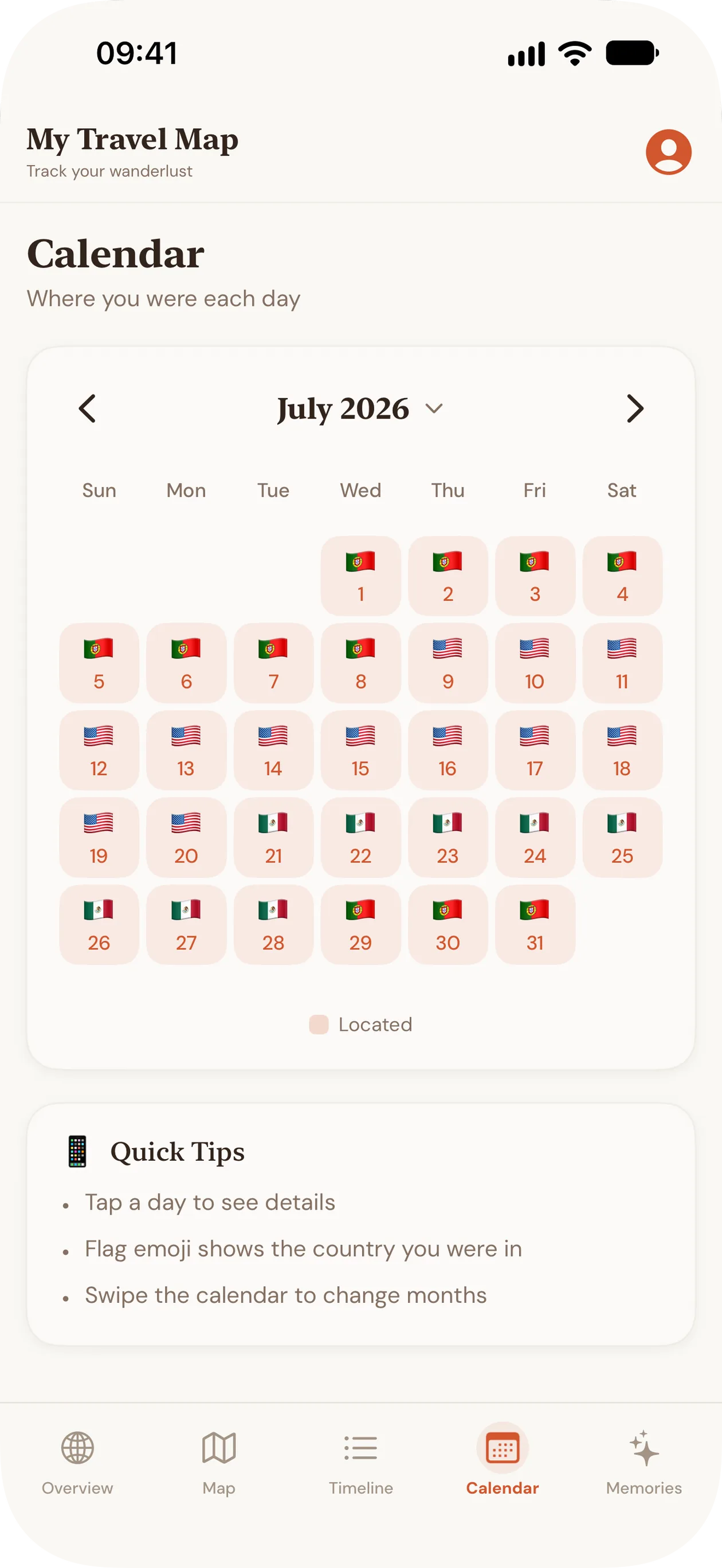
Calendar
The country you were in, day by day.
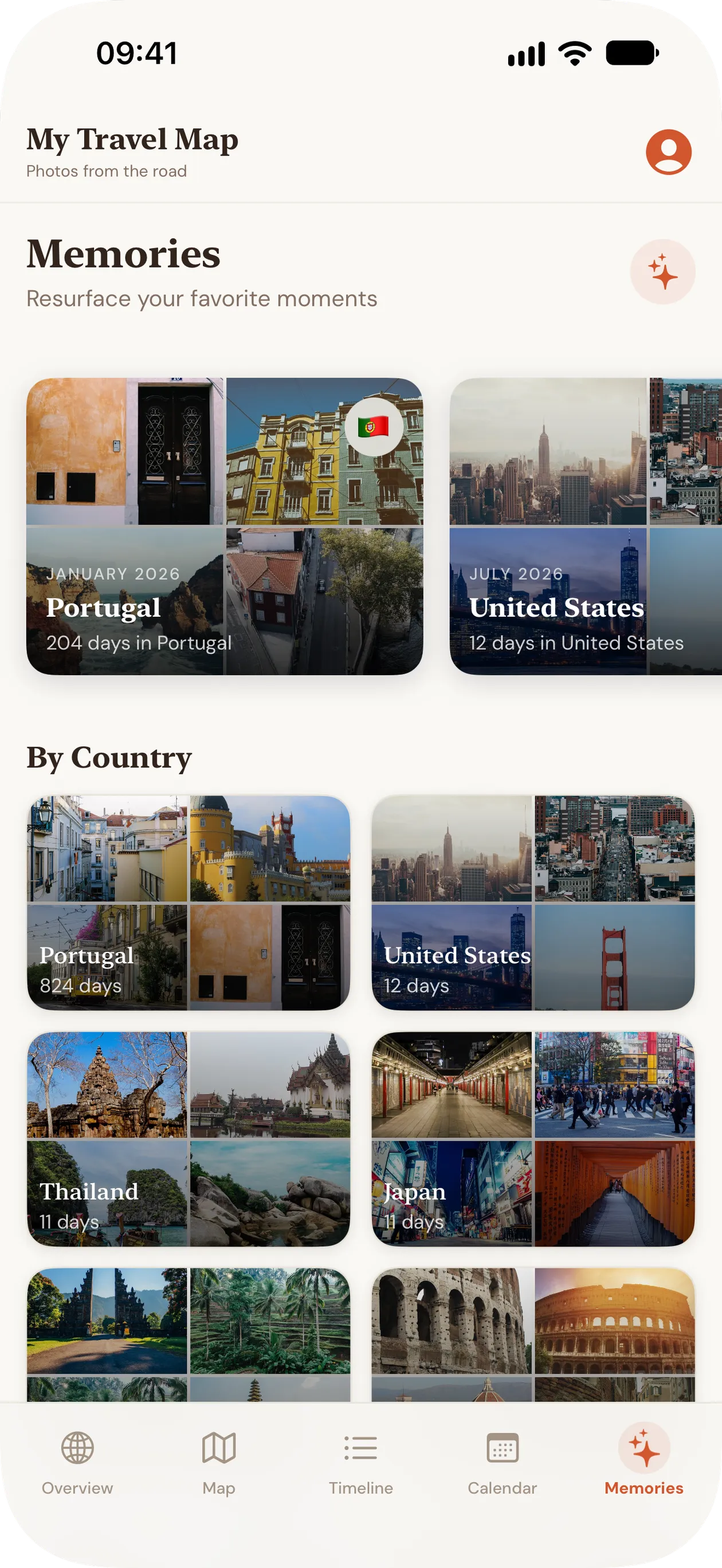
Memories
Your photos grouped by country and year.
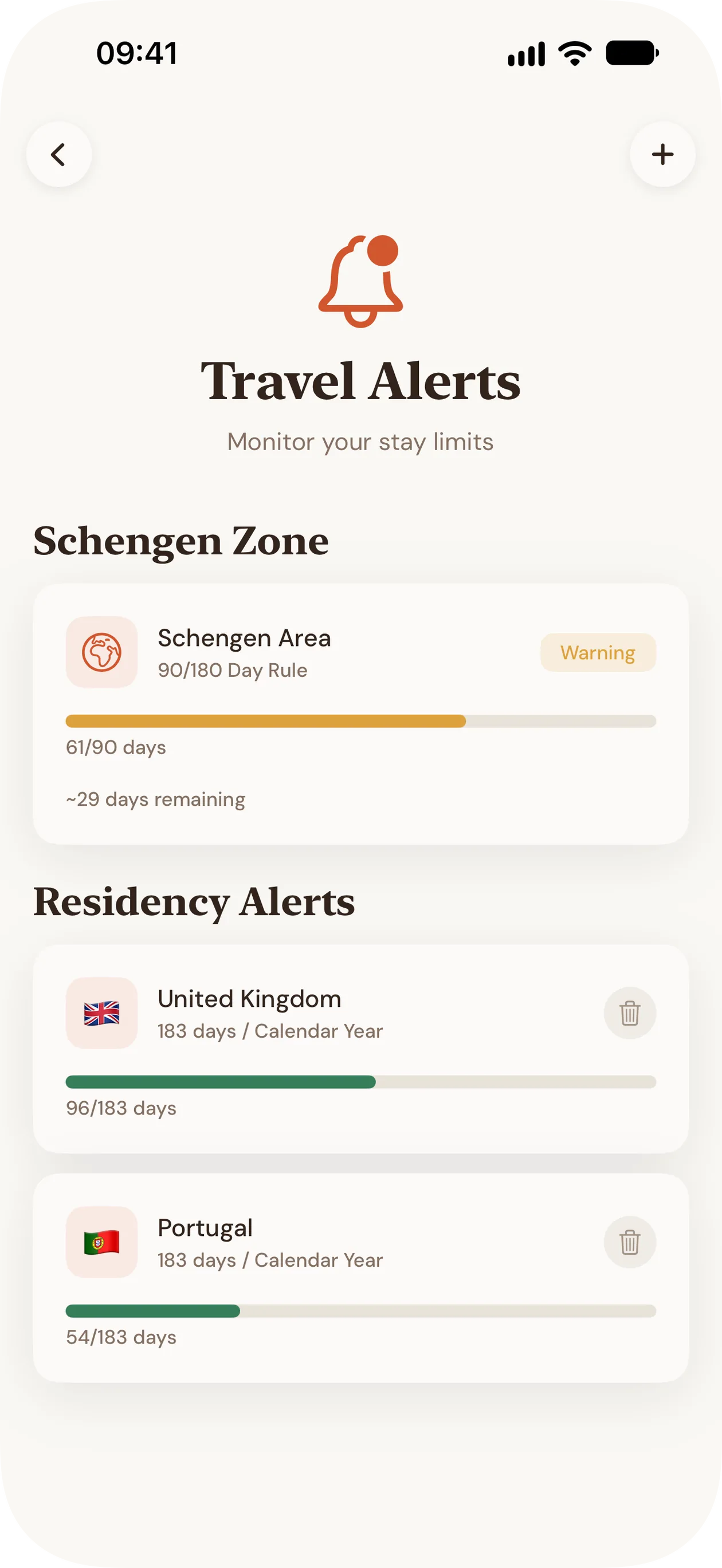
Stay ahead of Schengen and residency limits.
Pro counts your days under the Schengen 90/180 rule and against the residency thresholds you set, and warns you before you reach a limit. The count comes from the same days the app already knows from your photos and your edits.
- Schengen 90/180 rule, counted on a rolling window
- Residency thresholds you set, such as 183 days in a year
- Warnings at 60%, 80% and 90% of each limit
- A home-screen widget with your current count
Use the counts to plan and to spot risks early. They are not legal or tax advice.
What each trip cost.
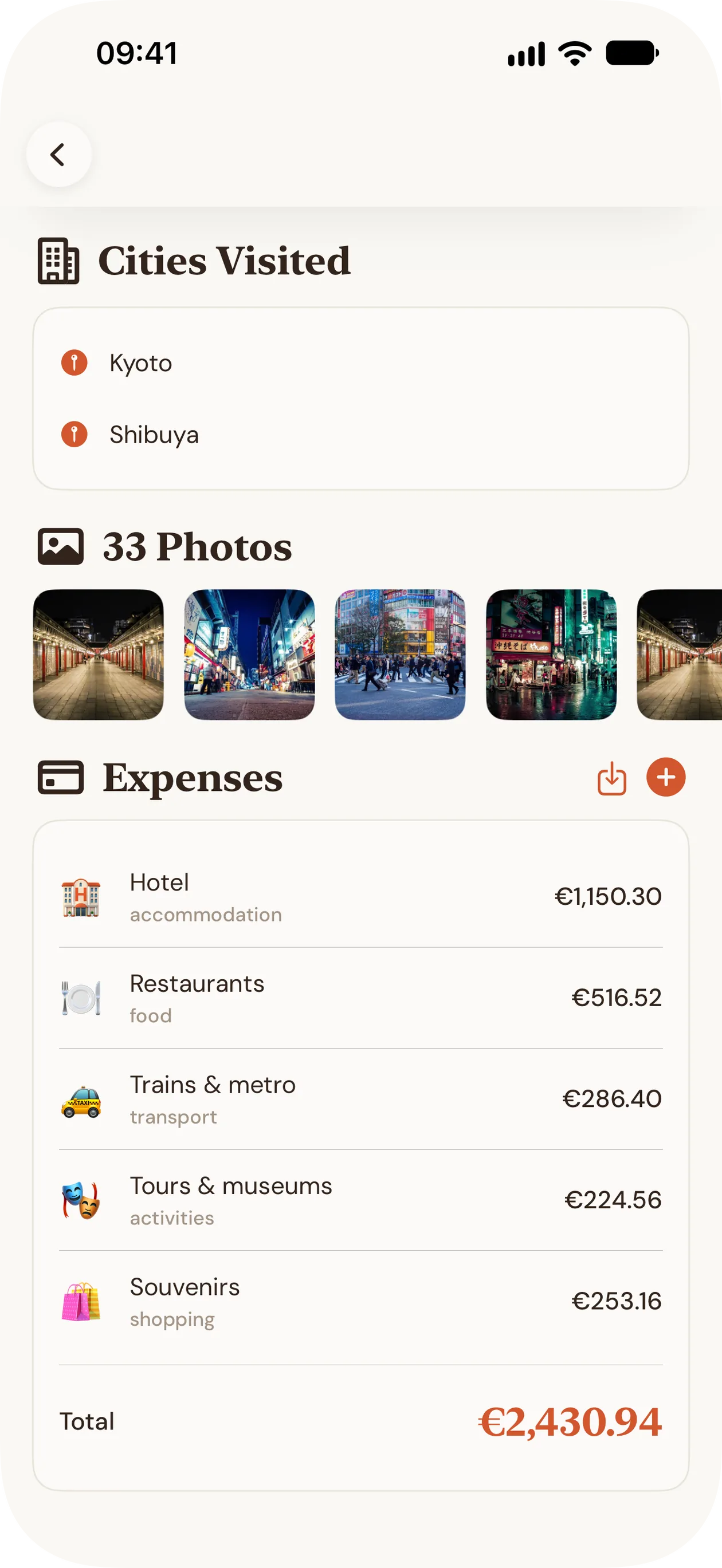
Log what you spend on each trip and see totals by trip and by country.
Log what you spend
Amount, currency, category and a note, per trip.
Categories
Accommodation, food, transport, activities, shopping.
Totals by trip and country
See what each stay cost and how countries compare.
Import from your bank
Bring in a CSV export instead of typing every line.
Your photos never leave your phone.
Everything happens on your iPhone or iPad. There's no account, no server of ours and no analytics, and Apple's App Store privacy label for the app reads Data Not Collected. To show city names, the app asks Apple's location service to name a place from its coordinates. No photos or identity are attached.
- No account
- No analytics
- No servers of ours
App Store privacy label: Data Not Collected
Photos access is used only to read each photo's date and location. Works with full or limited access. Details in the privacy policy.
How much does My Travel Map cost?
Free to start. Pro when you need more. Prices are US App Store prices in USD as of October 2026; the App Store shows your local price.
Free
$0
- Scan your library (first scan included)
- Map, timeline and calendar
- Memories, up to 5
- Set unknown days by hand, with optional gap fill
- CSV export
Pro
- Pro Monthly
- $2.99 per month, 7-day free trial
- Pro Yearly
- $17.99 per year, 7-day free trial
- Pro Lifetime
- $44.99 one-off
Everything in Free, plus:
- Unlimited rescans
- Schengen 90/180 tracker and overstay warnings
- Tax-residency day alerts
- Trip expenses with categories and bank CSV import
- Home-screen widgets
- Photo review mode
- Unlimited memories
- Full export and backup

Page updated .
Questions
- Does it upload my photos?
- No. It reads each photo's date and location on your iPhone or iPad. Photos are never copied or sent anywhere.
- Can it count the days I spent in each country?
- Yes. Every day is assigned to a country from your photos and your edits, so the overview, timeline and calendar show how many days you spent in each country, year by year.
- What if my photos have no location?
- Those days are marked as unknown. Tap one to set the country, or let gap fill cover short gaps between two days in the same country.
- Is it free?
- Yes. Scanning, the map, timeline, calendar and up to 5 memories are free. Pro adds rescans, Schengen and residency alerts, trip expenses, widgets and backup, from $2.99 a month with a 7-day free trial.
- Can I rely on it for Schengen or tax days?
- It counts from your photos and your edits. Use it to plan and to spot risks early, not as legal or tax advice.
- Does it work with limited Photos access?
- Yes, with the photos you choose to share. More photos give a fuller history.
- Does it run on iPad?
- Yes. iPhone and iPad, on iOS and iPadOS 26 or later.